Repo-of-Repos: Tony's Multi-Repo Workspace for AI Coding Agents
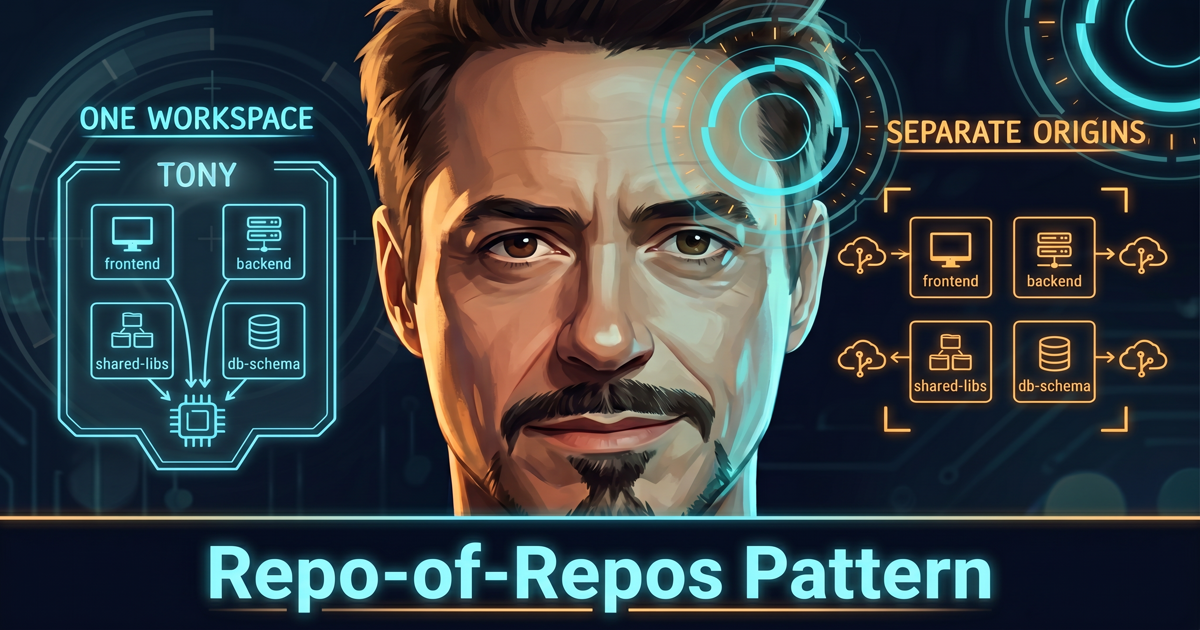
This post is Part 2 of 3 in a series about the two AI agents I use every day.
- Part 1 of 3: Introduction
- Part 2 of 3: Repo-of-Repos: Tony’s Multi-Repo Workspace for AI Coding Agents (this post)
- Part 3 of 3: Personal AI Assistant: Building Pepper on My Second Brain
This post is the accompanying writeup for the repo-of-repos template I have on GitHub — the same pattern that powers Tony, my coding agent from Part 1. These are my notes on the problem it solves, the bundled skills and agents that come with it, and the prior art I learned from along the way. If you’re landing here directly without having read Part 1, the short version is that Tony is the outer “agent” repo that pulls in all my related repos as workspace folders, while commits still flow back to each underlying repo’s own origin.
Throughout the rest of this post I’ll just say “coding agent” — but in practice the two I personally use are Claude Code and GitHub Copilot Agent (I’m using “Copilot Agent” as an umbrella term for both Copilot’s agent mode in VS Code and the Copilot CLI). The
CLAUDE.mdandSKILL.mdfiles you’ll see referenced are named that way because they’re cross-compatible across both, and I wrote about the cross-compatibility setup in a separate post. The patterns here also apply to other coding agents like Cursor, Windsurf, and Codex CLI — I just don’t have subscriptions for those, so I can’t speak to them from experience.
The Problem — Code Segmented for Humans, Not for AI
Most enterprise applications I work with live in more than one repo. Developer teams generally prefer each microservice to have its own repo. Even classic monoliths often have multiple repos for different layers of the stack — typically a frontend, a backend, and a few supporting ones for shared libraries and infrastructure.
This “mature” way of splitting code into multiple repos exists primarily because of how human teams work. Different teams own different services, with their own release cadences, branch protection, and CODEOWNERS rules. Compartmentalization of code for maintainability is a human way of managing complexity. But for an agent, that compartmentalization is a barrier. An agent can only work with the context it has access to, and if the relevant code is spread across multiple repos, the agent can’t see it all at once. That means more back-and-forth, more re-explaining, and more friction in getting things done — “is this API field actually used by the frontend?”, “does this database column flow through the shared types into the API contract?”, “what changed in the schema repo that might explain the bug we’re seeing in the UI?” are exactly the questions that fall apart when the agent only sees one repo at a time.
flowchart LR
    subgraph FE ["📱 frontend repo"]
        F[" "]
    end
    subgraph BE ["📦 backend repo"]
        A(["🤖 Agent<br/><i>only sees this repo</i>"])
    end
    subgraph SL ["🧩 shared-libs repo"]
        S[" "]
    end
    subgraph DBS ["🗄️ db-schema repo"]
        I[" "]
    end

    A -. "❓ is this API field<br/>used by the frontend?" .-x F
    A -. "❓ does this column flow<br/>through shared types?" .-x S
    A -. "❓ what changed<br/>in the schema repo?" .-x I

    classDef stuck fill:#FEF3C7,stroke:#D97706,stroke-width:3px,color:#1F2937
    classDef ghost fill:#F3F4F6,stroke:#9CA3AF,stroke-width:2px,stroke-dasharray:4 4,color:#6B7280
    class A stuck
    class F,S,I ghost
    style FE stroke:#9CA3AF,stroke-width:2px
    style BE stroke:#D97706,stroke-width:3px
    style SL stroke:#9CA3AF,stroke-width:2px
    style DBS stroke:#9CA3AF,stroke-width:2px
Why This Matters Now
A year ago, this was less painful because AI coding tools were mostly about autocomplete — the smaller the context, the better, since the suggestion only had to know about the file you were in. Cross-repo questions weren’t really on the table. A few things have changed in the past year that make this pattern useful right now:
- Context engineering became a discipline. What goes into the context window — and in what order — is now arguably the biggest single lever on the quality of an agent’s output. (For more on my own thinking, see Plan-Implement-Run.)
- Context windows got significantly larger. Frontier models routinely support hundreds of thousands of tokens; some go to a million. There’s now real headroom to load multiple repos’ worth of code without truncation.
- Agents grep before they answer. Modern coding agents read the workspace before responding. If your workspace is one repo, they only see one repo. If it’s all of your related repos, they see all of them.
The old reasons to keep repos apart are still right for shipping; the new reasons to combine them are also right for building. Repo-of-repos is how I get both.
The Pattern in One Sentence
The headline of the entire post:
An outer “agent” repo pulls in all related repos under a
repos/folder as workspace folders, while commits still flow back to each underlying repo’s own origin.
In my own setup, this outer agent is Tony. For the rest of this post I’ll switch between calling it “repo-of-repos (Tony)” when I want the technical framing, and just “Tony” when the context is clear. You can clone the repo-of-repos template directly from GitHub if you want to start with a working scaffold — the folder layout, the workspace manifest, the bundled skills and agents, and the cross-tool configuration are all set up for you.
Concretely, the workspace looks like this:
1
2
3
4
5
6
7
8
9
10
11
12
13
14
15
16
17
18
19
20
21
my-stuff/                         # outer "agent" workspace
├── CLAUDE.md                     # workspace-level agent rules
├── .claude/
│   ├── agents/                   # explorer, worker, reviewer
│   ├── rules/                    # auto-applied rules by file type
│   ├── skills/                   # slash commands (see below)
│   └── prompt-snippets/          # shared instructions
├── .github/
│   ├── agents/                   # Copilot equivalents
│   └── instructions/             # Copilot rules
├── _plans/                       # cross-repo implementation plans
├── docs/                         # reference docs
├── .mcp.json                     # MCP servers (Claude Code)
├── .vscode/mcp.json              # MCP servers (VS Code / Copilot)
└── repos/
    ├── repos.yaml                # workspace manifest
    ├── repos.md                  # auto-generated descriptions
    ├── frontend/                 # cloned in — git origin = frontend
    ├── backend/                  # cloned in — git origin = backend
    ├── shared-libs/              # cloned in — git origin = shared-libs
    └── iac/                      # cloned in — git origin = iac
Each inner folder under repos/ is a real clone of its underlying repo. Git inside each folder behaves exactly as if you’d cloned it on its own. Tony just sees one workspace. The repos/repos.yaml manifest is where you declare what should be in the workspace — name, URL, branch, a short prefix used in plans, and a one-line description for each repo — and a single command (/pull-all-repos) clones or pulls them all.
Why the Repo-of-Repos Pattern Works
Tony reads the entire workspace before answering, so he can grep, read, and cross-reference across the frontend, backend, shared libs, and infrastructure as if they were one codebase. Cross-repo questions like “trace this field from the schema all the way to the UI” get answered in a single pass instead of three sessions. Coding agents these days also support spinning up sub-agents, so repo-of-repos (Tony) can delegate bounded tasks to specialised sub-agents that operate inside one inner repo, while Tony himself coordinates the bigger picture (more on this in the Agents section below).
Nothing changes about how commits work. Each inner repo still has its own origin, its own branches, its own CI, and its own branch protection. When you commit inside repos/backend/, it goes to the backend repo; when you push, it pushes to the backend’s remote. Tony doesn’t touch any of that — branch protection, CODEOWNERS, and CI all stay exactly where they should be.
Agent rules live in one place. Instead of duplicating CLAUDE.md (or .github/copilot-instructions.md) across every inner repo, the workspace-level rules live in repo-of-repos (Tony). Per-repo rules can still exist inside each inner folder when needed. This matters more than it sounds, because agent rules drift fast and a single source of truth keeps Tony from contradicting himself.
The Skills Bundled with Tony
Alongside the pattern itself, the template ships with a small set of skills — each a .claude/skills/<name>/SKILL.md file in repo-of-repos (Tony), so they’re available as slash commands the moment you open the workspace. Most of them are inspired by prior work from others in the community (see the Prior Art & Inspiration section of the README for the full list of credits).
Workspace
| Command | What it does |
|---|---|
/pull-all-repos | Clone or pull every repo in the manifest in one pass — what I run after a fresh clone of Tony |
/add-repository <url> | Clone a git repo and register it in repos.yaml |
/add-repository --local <name> | Register a local source folder (no git origin) |
/remove-repository <name> | Remove a repo or folder from the manifest |
/clean-repos | Drop stale entries whose directories no longer exist |
Plan, Then Implement
The template implements the plan-and-implement halves of the Plan-Implement-Run pattern I’ve written about previously. (I’ve omitted “Run” for now because how you run an app depends on the tech stack of whatever inner repo you’ve added — that’s better left to per-repo instructions.) In a repo-of-repos workspace, plans live as markdown files in _plans/ at the root of Tony, with frontmatter that lists which inner repos the plan touches.
| Command | What it does |
|---|---|
/create-plan <description> | Write a plan with steps, context, and pseudocode |
/implement-plan [plan-file] | Execute the plan, ticking off - [ ] checkboxes and recording fixes as new steps when reality diverges |
The plan ends up being a record of both what was planned and what actually happened — useful for code reviews, handoffs, and for the next session that picks up where you left off.
Plans always live in repo-of-repos (Tony), never inside an inner repo. They cross repo boundaries, so they need a home that does too.
Git — The Multi-Repo Dance
In a single-repo project, “commit and push” is one action. In a repo-of-repos workspace, a single feature might touch three inner repos — and each one needs its own staging, its own commit message that makes sense in that repo’s history, its own branch, and its own pull request opened against that repo’s remote.
| Command | What it does |
|---|---|
/commit | Stage and commit the outer workspace only (rules, plans, skills — but nothing under repos/) |
/commit-all-repos | Walk each inner repo, write per-repo commit messages from the diff, push each to its own origin |
/pr-all-repos | Open a PR in each inner repo and cross-link them as siblings so reviewers can see the full picture |
Docs & Maintenance
| Command | What it does |
|---|---|
/update-all-md-docs | Scan the diff and update each affected repo’s markdown so the agent’s mental model stays honest |
/sync-template | Pull the latest framework files from upstream without touching your repos, plans, or settings |
Both of these are about keeping things in sync. /update-all-md-docs matters because the agent’s understanding of the codebase is built mostly from README.md, CLAUDE.md, and notes in docs/ — when those drift out of sync with the actual code, the next session starts from a stale picture, so I run this skill after meaningful changes. /sync-template is just a convenient way to have the agent pull the latest changes from the upstream template and merge them into your repo-of-repos, without you having to do the diffing by hand.
The Three Agents — Explorer, Worker, Reviewer
Skills are one half of what’s bundled with the template; the other half is a set of three specialised agents living in .claude/agents/ (and mirrored in .github/agents/ for Copilot). The split exists because the safest way I’ve found to do multi-repo work is to give different agents different scopes:
- The explorer is read-only (
Read,Grep,Glob,Bash) and sees all repos. It’s what answers cross-repo questions like “what breaks if I rename this type?” or “trace this field from the database to the UI.” - The worker is write-scoped to a single repo at a time. When something needs to be implemented in
repos/backend/, Tony spawns a worker pinned to that folder, and the worker follows that repo’s ownCLAUDE.mdrules. - The reviewer reviews code against shared workspace standards. It has
Read,Edit,Grep, andGlob— so it can apply minor fixes during review, but it can’t run shell commands or create new files.
This split prevents most of the wrong-directory mistakes and accidental cross-repo edits that used to bite me when I was running everything as a single big agent. From the developer’s seat, the delegation feels automatic — once the read/write separation rule is written into the root CLAUDE.md, Tony reads it every session and applies it task by task. You don’t have to say “now use the worker agent”; Tony recognises that a task involves writes to one or more repos and spawns scoped workers on his own. Skills like /implement-plan make the delegation explicit where they need to.
Setup Lives in the README
I’m deliberately keeping setup mechanics out of this post. The exact bootstrapping steps, the repos.yaml field reference, the .gitignore rules so Tony doesn’t try to track inner-repo contents, the per-repo CLAUDE.md / AGENTS.md / Copilot instructions options, common gotchas — all of that lives in the repo’s README on GitHub. This post stays focused on the problem and the value of the pattern; the wiring is implementation detail and tends to drift as I tweak things, so the README is the better place for it.
Prior Art and Further Reading
This same idea goes by many other names in the community — meta-repo pattern, virtual monorepo, spine pattern, polyrepo synthesis — and “repo-of-repos” is just the name I’ve settled on for my own version. The full attribution for what I borrowed lives in the Prior Art & Inspiration section of the repo’s README. If you’re interested in how others have approached this, two broader reads worth your time are Rajiv Pant’s Polyrepo Synthesis and Addy Osmani’s The Code Agent Orchestra.
When NOT to Use This Pattern
Here are a few cases where this pattern doesn’t fit:
- Single-repo apps or true monorepos. If your whole product already fits in one workspace, the agent can already see everything. Wrapping that in an outer repo is overhead with no upside.
- Repos spread across organisations. When half your repos live under one GitHub org and the other half under another — especially with different identity providers — the friction of cloning everything into one workspace can outweigh the benefit. I keep those in separate workspaces and accept the limitation.
- Codebases too large for the agent’s context. If pulling all the related repos into one folder blows past the agent’s effective context window, you’re better off keeping the workspace narrower or applying more aggressive context-engineering techniques.
Closing Thoughts
The repo-of-repos pattern is what I use whenever I’m working across multiple related repos with an AI coding agent. The combination of the workspace manifest, the bundled skills, and the read/write-separated agents is what makes it work for me. If any of the problems in this post sound familiar, the template is on GitHub — feel free to clone it and shape it to fit your own setup (I named mine Tony).
Next up is Part 3, where I share how I built Pepper Potts — my personal AI assistant.